Search for attendance software and you will find a hundred products that all claim the same three things: accurate, easy, affordable. The differences that actually decide whether a rollout succeeds are rarely on the feature grid. This guide sets out the criteria that separate biometric attendance systems in practice, so you can compare them on the things that will matter to you in year two — not just in the demo.
Start with the deployment question, not the feature list
Almost every meaningful difference between products flows from one decision: where does the biometric data live? Cloud-only vendors are simpler to start with and cheaper to run at small scale. Self-hosted systems keep enrolment templates and clock-in records inside your own network, which is what regulated sites, government facilities and many industrial plants need.
Ask early whether the vendor can do both with the same product. If cloud and on-premise are separate codebases, migrating later usually means re-enrolling every employee. Our on-premise attendance software page explains why that distinction matters more than any single feature.
The nine criteria worth scoring
- Algorithm provenance. Ask whose recognition engine is inside. Many attendance apps license a third-party SDK and cannot tell you how it performs. Vendors who develop their own algorithms can point to independent evaluations — see how to judge accuracy claims.
- Liveness and anti-spoofing. A system that accepts a photograph of an employee is not an attendance system, it is a formality. Ask whether anti-spoofing runs on the device, and whether it has been tested against printed photos, phone screens and video replay.
- Hardware freedom. Can existing phones, tablets, webcams and IP cameras act as check-in points, or must you buy the vendor’s terminals? Hardware lock-in is where budgets quietly double.
- Offline behaviour. What happens when the network drops at a remote site? Records should store locally and sync automatically, not fail silently.
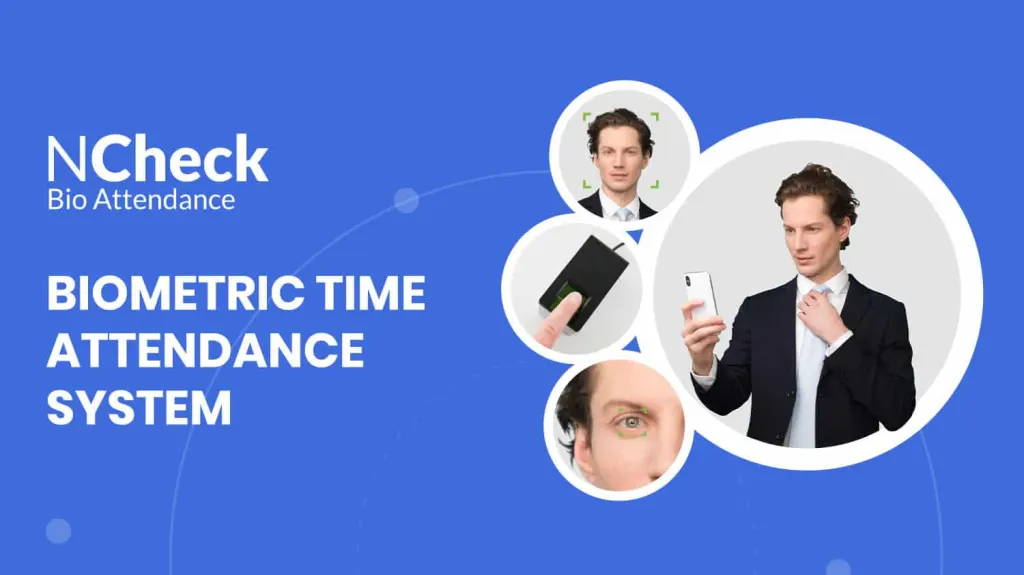
- Modality coverage. Face suits most offices. Fingerprint still wins where faces are covered; iris is used where assurance must be highest. Mixing modalities per site is normal in large deployments — see the full capability list.
- Template storage. The system should store irreversible encrypted templates, never raw images. This is both a security property and a regulatory one.
- Consent, retention and deletion tooling. Auditors ask about these first. Enrolment-time consent capture, retention limits and a working deletion workflow should be built in, not a spreadsheet you maintain.
- Payroll and API. Payroll-ready exports plus a documented REST API. Without them, someone on your team becomes a human integration layer.
- Scope beyond attendance. If one enrolment can also open doors and register visitors, you avoid running three identity databases. See how the pieces fit together.
Category by category: what each type of product is good at
Workforce management suites
Scheduling-first platforms that added biometrics later. Strong on rota building and labour forecasting; biometric verification is often a mobile selfie check rather than true matching, and self-hosting is rarely offered. Good fit for retail and hospitality chains who mainly need scheduling.
Terminal manufacturers
Hardware companies with bundled software. Robust devices and a low entry price per door, but the software tends to lag, and every new check-in point is a hardware purchase. Reasonable when you need rugged terminals in fixed positions anyway.
Biometric software specialists
Products built around the recognition engine itself. Typically stronger on accuracy, modality choice, anti-spoofing and deployment flexibility, and usually the only category that offers a genuine self-hosted option. This is the category NCheck sits in.
Questions that reveal more than a demo
- Can I run this entirely on my own server, with no outbound connection?
- What exactly is stored when an employee enrols, and can you show me the deletion process?
- Which devices can act as a check-in point without buying anything from you?
- How does the system behave for three days without internet?
- Who wrote the recognition algorithm, and where is it independently benchmarked?
- What happens to accuracy with masks, safety glasses, hard hats or gloves?
- Which regulation applies to us, and what does the product do to help? Cross-check against our compliance hub.
Cost: compare the second year, not the first
First-year pricing is designed to win the deal. Model year two instead, including new sites, staff turnover and re-enrolment, additional check-in points, support renewals and any per-device fees. A product that is free to start but charges per device can cost more at fifty doors than one with a flat per-employee fee. Our pricing page includes a calculator you can run against your own headcount.
A practical shortlisting method
Score each candidate one to five on the nine criteria above, weighting deployment model, anti-spoofing and hardware freedom double — these three are the hardest to change later. Then pilot the top two with a single real team for two weeks, on the devices you actually own, in the conditions you actually have: the loading bay at 6am in winter tells you more than any datasheet.
Frequently asked questions
Is face recognition accurate enough for payroll-grade attendance?
Modern engines are, provided the vendor’s algorithm is independently evaluated and liveness detection is active. The failure mode to test for is not false matching but failed recognition in poor lighting or with covered faces.
Do we need special hardware?
Not necessarily. Software-led systems turn existing phones, tablets and webcams into check-in points; terminals remain useful for turnstiles and outdoor gates.
Can we start small and scale?
Yes. Look for a free tier to validate the workflow with one team before committing. NCheck is free for up to five employees, with no card required.
A 30-day evaluation timetable
Most attendance selections drift because nobody set an end date. Thirty days is enough to reach a defensible decision, and short enough that the team stays engaged.
Week 1 — define, don’t shop. Write down the problem in measurable terms: how many timesheet corrections last quarter, how long the queue is at shift change, which sites have no connectivity, which regulation applies. Agree who signs off — usually HR, IT, operations and whoever owns payroll. Selections stall most often because IT enters in week three with security requirements nobody collected in week one.
Week 2 — shortlist to three. Use the nine criteria above as a scoring sheet. Anything that fails on deployment model, anti-spoofing or hardware freedom drops out now, before you have invested demo time in it.
Week 3 — pilot two, not one. A single pilot tells you whether a product works; two tell you which is better. Run both with the same team, on your own devices, in your worst location. Insist on the three evidence tests: a spoof attempt, a live deletion, and an offline check-in.
Week 4 — decide on numbers. Compare failed-read rates from the pilot, the year-two cost of each, and what your employees actually said. Adoption is decided by the people clocking in, and their feedback in week three predicts the support load in month six far better than any feature comparison.
Signals that a vendor will be difficult later
- Deployment questions get redirected to a solutions call. Whether the product self-hosts is a factual question with a one-word answer.
- Accuracy claims with no source. “99.9% accurate” without a stated false-match rate and dataset is not a figure, it is a slogan.
- Deletion cannot be demonstrated live. If removing one person requires a support ticket, your compliance obligations run at the speed of their queue.
- Device pricing that is “flexible”. Flexible now often means chargeable at renewal. Get it fixed for the term in writing.
- Pressure to skip the pilot. Confident vendors want their product tested in your loading bay.
NCheck is a biometric attendance system by Neurotechnology that runs on-premises or in the cloud, supports face, fingerprint and iris recognition, and works on phones, tablets, IP cameras and biometric terminals. Free forever for up to 5 employees.