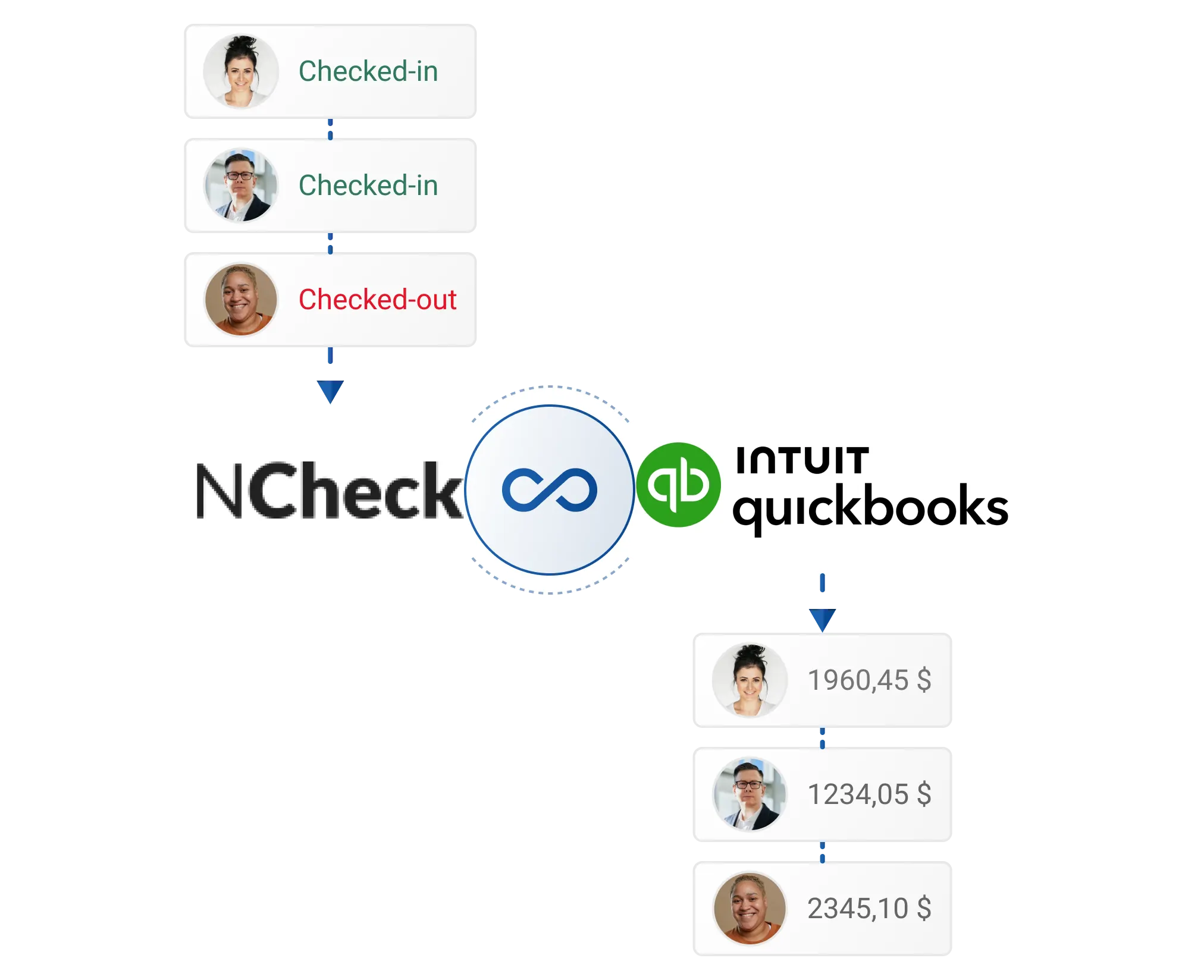
Why connect NCheck to QuickBooks
QuickBooks is a popular accounting software designed to simplify financial administration for small and medium-sized enterprises.
Advantages of integration:
- Customizable Features
- Efficient Organization and Tracking
- Cash Flow Management
- Business Insights through Reports
Export the Total Work Hours report
NCheck Bio Attendance effortlessly exports employees' daily, weekly, or monthly attendance records to Excel via the Total Work Hours report.
Follow these steps to export and format NCheck Total work hours report:
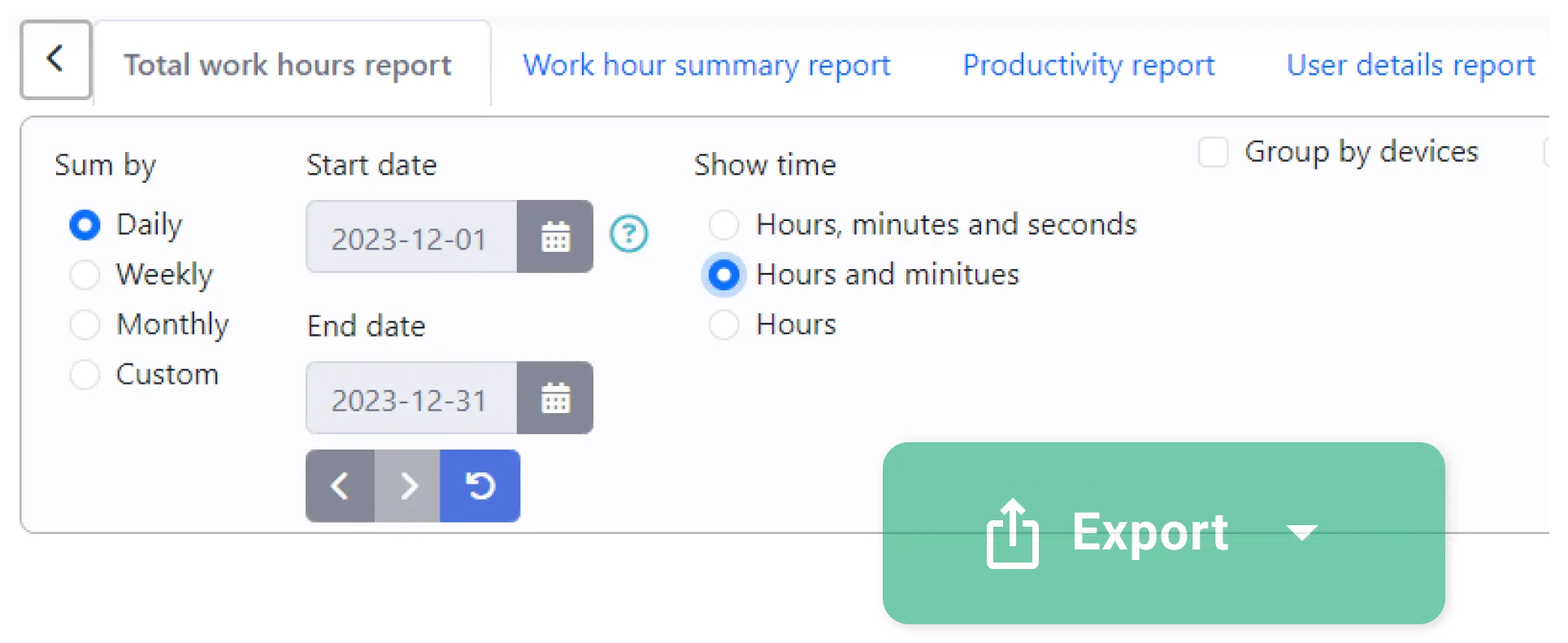
- Customize NCheck Total Work Hours report according to your pay cycle and payroll data import cycle specifications:
- 1.1 Select “Daily” within the “Sum by” options.
- 1.2 Define the required date range in "Start date" and "End date" and refresh the report.
- 1.3 Select "Hours and minutes" within the "Show time" option.
- Export Total Work Hours report:
- 2.1 Click on “Export” button and select “CSV” file option.
Format the CSV for QuickBooks
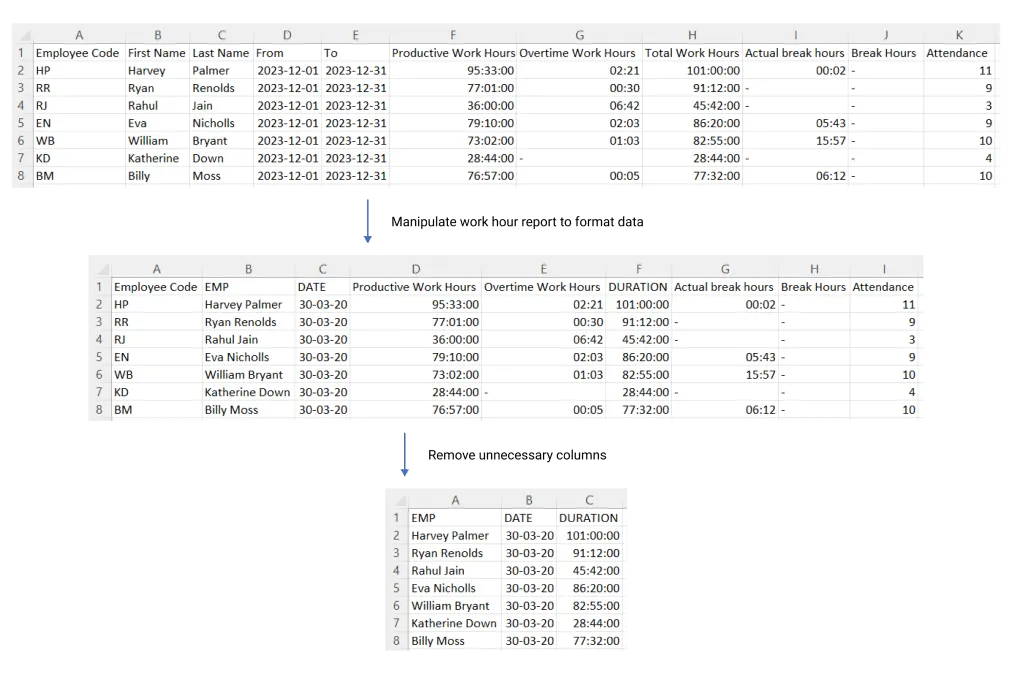
Manipulating a Total Work Hours report optimizes data for efficient integration by adjusting formats and removing unnecessary data.
Follow these steps to format NCheck Total work hours report:
- Format columns and remove unnecessary data from the Total work hour report:
- 3.1 Concatenate “First name” and “Last name” columns and create new column “EMP”. Refer this for more help.
- 3.2 Rename the “Work hour” column to “DURATION”.
- 3.3 Set “To” column date format to DD/MM/YY format.
- 3.4 Rename “To” column header to “DATE”.
- 3.5 Delete all columns other than “DATE”, “EMP” and “DURATION”.
Convert to IIF and import
In QuickBooks Desktop, you can import timesheet data using IIF (Intuit Interchange Format) files. IIF format is a text-based tab-delimited format similar to .tsv.
Follow these steps to migrate NCheck Bio Attendance total work hour report data into IIF format:
- Download sample file.
- Change the file name and open it using spreadsheet software such as Microsoft Excel.
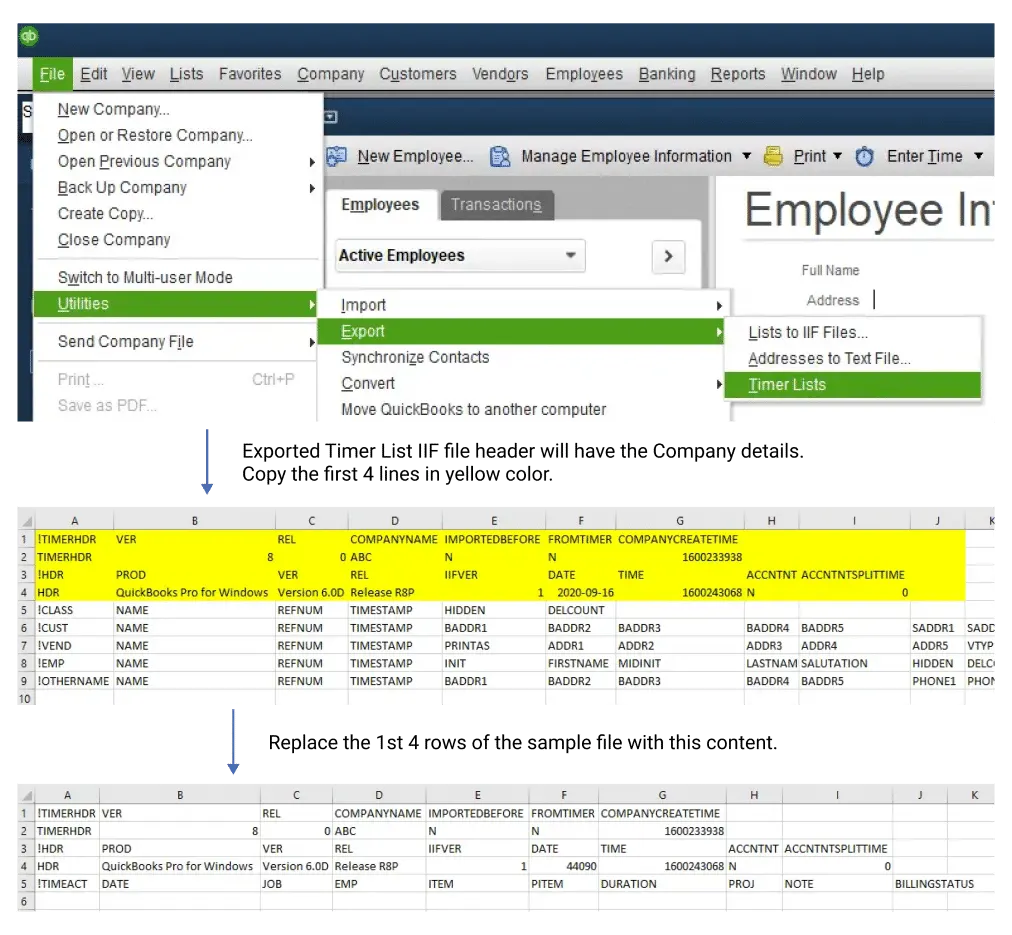
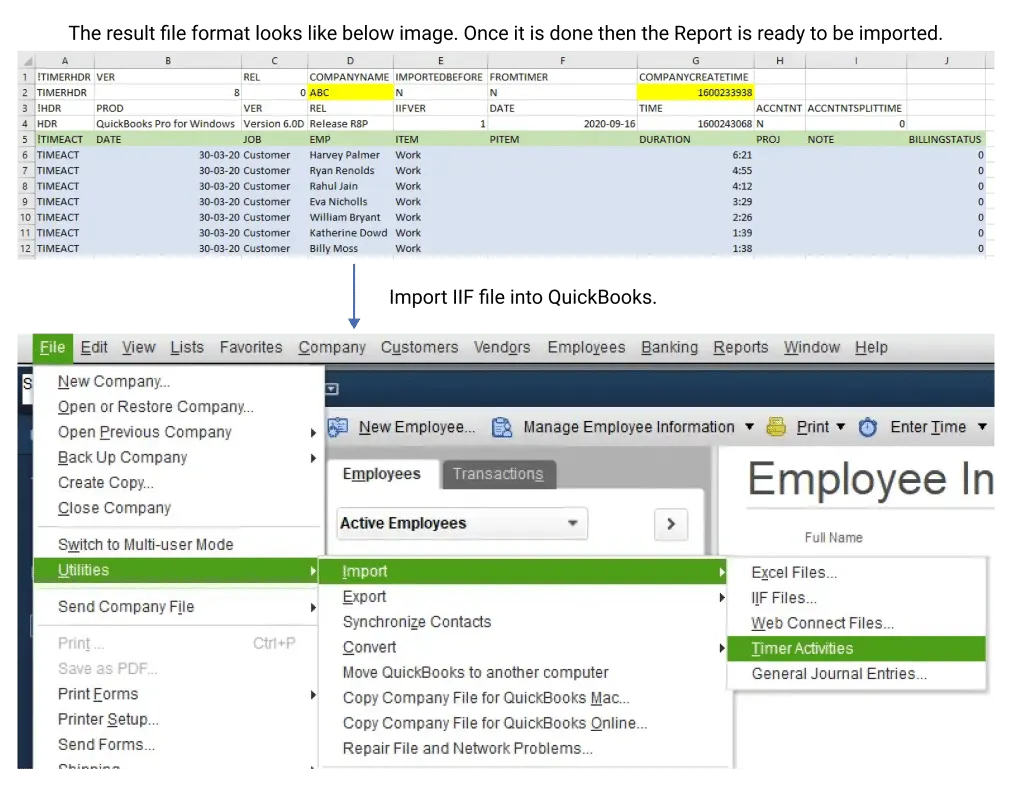
- Update header information using exported “Timer list” IIF file:
- 6.1 In QuickBooks, go to File -> Select Utilities.
- 6.2 Choose Export and Export the "Timer List" IIF file.
- 6.3 Copy the first 4 lines highlighted in yellow color.
- 6.4 Replace the 1st 4 rows of the sample file with this content.
- Merge manipulated report data we just modified to this IIF file:
- 7.1 Set the first column value as "TIMEACT."
- 7.2 In the "DATE" column, incorporate contents from the modified work hour report.
- 7.3 For the "JOB" column, input the customer or job name in the format customer: job, ensuring both are listed on your Customers & Jobs list (CUST).
- 7.4 Merge contents from the modified work hour report into the "EMP," "DURATION," and "PROJ" columns.
- 7.5 In the "ITEM" column, use the service item name from your Item list (INVITEM).
- 7.6 Designate the Payroll Item for Paychecks in the "IPTEM" column.
- 7.7 Provide a description/note for each time entry in the "NOTE" column, up to 1000 characters.
- 7.8 Use the "BILLINGSTATUS" column to indicate billing status (0 for not billable, 1 for not billed, 2 for billed).
- Import to QuickBooks:
- 8.1 Navigate to File > Utilities > Import > Timer Activities to bring in the worksheet IIF file.
NOTE: After the data is imported, view the Timer Import Data report to review the extracted information.
Questions?
If your QuickBooks setup uses a different layout or pay cycle, tell us how you run payroll and we will help you map the export. Talk to us
QuickBooks is a product of Intuit Inc. It is mentioned only to identify the system this export is formatted for.